Have you ever thought about having a website, maybe a blog to share your thoughts, an online store to sell your products, a personal portfolio, or even an affiliate site to make money?
If so, you’ve probably heard the words “domain” and “web hosting” thrown around. And if you’re like most beginners, they might sound a little technical, maybe even a bit scary.
In this beginner’s guide, I will explain everything in plain English, with no tech speak and no confusing terms. Just straight up info to get you started the right way in 2025.
Let’s get into it.
What Is a Domain Name?
A domain name is the unique web address people type into their browsers to visit a website, like www.google.com or toolsavor.com. It’s your website’s identity on the internet, making it easy for users to find and remember you instead of using complex IP addresses like 192.168.1.1.
Every domain name has two main parts:
- Second-level domain (SLD): This is the name you choose, like
toolsavor. - Top-level domain (TLD): This is the extension, like
.com,.org, or.net.
You need to register a domain through a domain registrar (like GoDaddy, Namecheap, or Hostinger), and you’ll typically pay an annual fee to keep it active.
What Is Web Hosting?
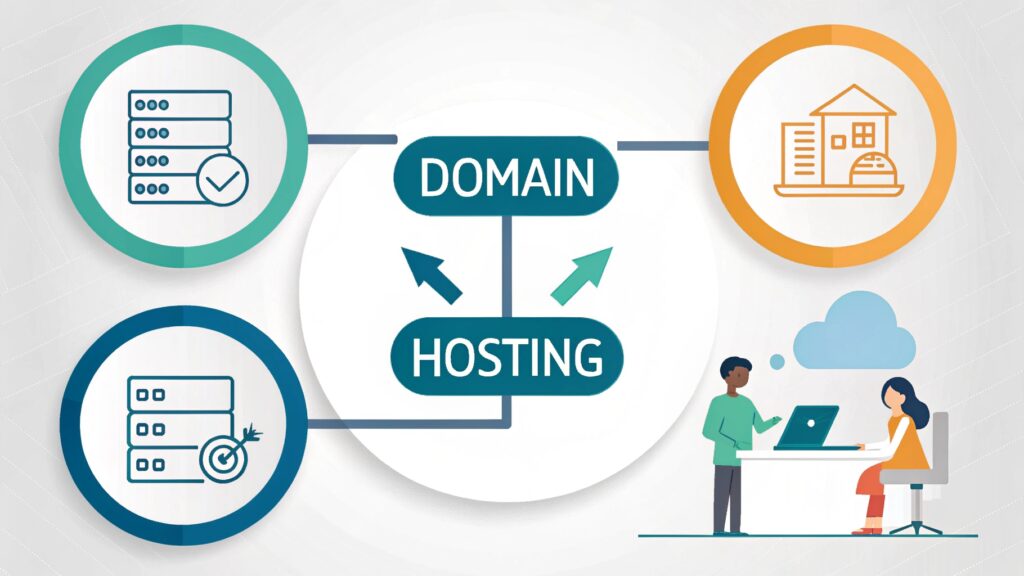
Web hosting is a service that stores your website’s files, like text, images, and code, and makes them accessible on the internet. When someone enters your domain name (like toolsavor.com) in a browser, web hosting delivers the website content from its servers to the visitor’s device.
Think of it like this:
- Your domain name is your home address.
- Your web hosting is the actual house where your website “lives.”
Key Features of Web Hosting:
- Server Space: Stores your website files.
- Bandwidth: Controls how much traffic your site can handle.
- Uptime Guarantee: Ensures your site is always online.
- Support: Technical help when issues arise.
- Security: Protection against cyber threats.
Types of Web Hosting:
- Shared Hosting: Budget-friendly, shared server with other websites.
- VPS Hosting: More control and power, but still shared resources.
- Dedicated Hosting: An Entire server for your site high performance.
- Cloud Hosting: Scalable and reliable with flexible resource usage.
In simple terms, web hosting is what keeps your website online—without it, your site can’t be seen or accessed on the internet.
Domain vs Hosting – What’s the Difference?
| Feature | Domain Name | Web Hosting |
|---|---|---|
| Definition | The web address used to access a website (e.g., toolsavor.com) | The service that stores and serves website files |
| Function | Points users to your website | Delivers your website’s content to users |
| Example | www.example.com | Hosting service from Bluehost, Hostinger, etc. |
| Component Type | Digital address (like a contact name) | Physical server space (like storage) |
| Required For | Website identity and branding | Making your website visible online |
| Purchased From | Domain registrars (Hostinger, Namecheap) | Web hosting providers (SiteGround, Hostinger) |
| Renewal | Usually yearly | Monthly or yearly |
| Can Exist Alone? | No, needs hosting to show content | Yes, but without a domain, users can’t access it |
| SEO Impact | Affects branding and URL structure | Affects speed, uptime, and performance (important for SEO) |
| Main Role | Helps users find your site | Hosts and runs your site |
How Domains and Hosting Work Together
Domains and hosting are two separate services, but they work hand-in-hand to make your website accessible online.
Here’s how they work together:
- You Buy a Domain Name
This is your website’s address, liketoolsavor.com. It helps people find your site easily. - You Purchase Web Hosting
This is where all your website’s content, images, files, and text are stored on a server. - You Connect the Domain to the Hosting Server
You update your domain’s DNS settings to point to your hosting provider’s server. This tells the internet where to find your website files when someone types in your domain. - User Visits Your Website
When someone enters your domain in a browser:- The DNS directs the browser to your web hosting server.
- The server delivers the site’s files to their screen.
- The user sees your live website.
Example:
- Domain:
toolsavor.com(your online address) - Hosting: Bluehost server (stores your website files)
- Result: Visitors see your blog, tools, or store when they visit
toolsavor.com
In Short:
Your domain is where people go.
Your hosting is what they see when they get there.
Both are essential to run a live website on the internet.
Types of Web Hosting
Choosing the right web hosting is key to your website’s performance and growth. Here’s a quick, beginner-friendly breakdown of the main types of web hosting:
1. Shared Hosting
Best for: Beginners, personal blogs, small websites
What it is:
Your website shares server space with other websites. It’s affordable but has limited resources.
Pros:
- Low cost
- Easy to use
- Great for small sites
Cons:
- Slower performance
- Limited scalability
- Affects speed if other sites on the server use more resources
2. VPS Hosting (Virtual Private Server)
Best for: Growing websites, developers
What it is:
A physical server is divided into virtual sections, each acting like a dedicated server.
Pros:
- More control and customization
- Better performance than shared hosting
- Scalable resources
Cons:
- Costs more than shared hosting
- Requires some technical knowledge
3. Dedicated Hosting
Best for: High-traffic websites, eCommerce, enterprises
What it is:
You get an entire physical server dedicated to your website.
Pros:
- Maximum performance and speed
- Full control over the server
- Highest security
Cons:
- Expensive
- Requires server management skills
4. Cloud Hosting
Best for: Sites needing flexibility, uptime, and scalability
What it is:
Your site is hosted across multiple servers in the cloud. If one server fails, another takes over.
Pros:
- Very reliable
- Scalable on demand
- Pay for what you use
Cons:
- Can be more expensive over time
- Pricing can be complex
5. Managed WordPress Hosting
Best for: WordPress users who want speed, security, and support
What it is:
Hosting optimized specifically for WordPress websites, with automatic updates and backups.
Pros:
- Fast and secure
- WordPress-specific support
- Hassle-free management
Cons:
- Only for WordPress sites
- Higher cost than regular shared hosting
6. Reseller Hosting
Best for: Freelancers, agencies, or anyone wanting to sell hosting
What it is:
Buy hosting space in bulk and resell it under your own brand.
Pros:
- Business opportunity
- Manage multiple clients
- White-label options
Cons:
- Requires business management
- Customer support is your responsibility
Final Thoughts:
Pick the hosting type based on your website size, traffic, budget, and technical skills.
- Start with shared hosting if you’re new.
- Go for VPS or cloud hosting as you grow.
- Use dedicated hosting for large, high-traffic websites.
Your web hosting plays a crucial role in your website’s speed, security, and uptime—so choose wisely!
Best Domain and Hosting Providers in 2025
| Domain Provider | Key Features | Starting Price |
|---|---|---|
| Namecheap | Free WHOIS privacy, great UI, affordable pricing | From ~$9/year |
| GoDaddy | Huge domain inventory, 24/7 support, easy upselling | From ~$12/year |
| Google Domains (Now part of Squarespace) | Simple UI, reliable DNS, strong integration | From ~$12/year |
| Hostinger | Free domain with hosting, easy setup, beginner-friendly | Free 1st year (with hosting) |
| Dynadot | Clean dashboard, competitive prices, reliable registrar | From ~$8.99/year |
| Bluehost | Free domain with hosting plans, great for WordPress sites | Free 1st year (with hosting) |
Best Web Hosting Providers in 2025
| Hosting Provider | Key Benefits | Hosting Types | Starting Price |
|---|---|---|---|
| Hostinger | Very affordable, fast servers, user-friendly hPanel | Shared, Cloud, VPS, WordPress | From ~$1.99/month |
| Bluehost | Free domain, great for beginners, WordPress-recommended | Shared, VPS, WordPress | From ~$2.95/month |
| SiteGround | Fast load times, exceptional customer support, free daily backups | Shared, WordPress, Cloud | From ~$3.99/month |
| DreamHost | Transparent pricing, free SSL, WordPress integration | Shared, VPS, Dedicated | From ~$2.59/month |
| A2 Hosting | Fast load times, exceptional customer support, and free daily backups | Shared, VPS, Reseller | From ~$2.99/month |
| Cloudways | Managed cloud hosting, scalable, pay-as-you-go billing | Cloud (DigitalOcean, AWS, etc.) | Turbo servers for speed, developer tools, and anytime refund |
✅ Pro Tips:
- Beginners: Go with Hostinger or Bluehost for all-in-one simplicity.
- Small Businesses: SiteGround or DreamHost offers strong reliability.
- Developers & Growing Sites: Try Cloudways or A2 Hosting for performance and control.
Common Mistakes to Avoid
- Choosing a Complicated Domain Name
Hard-to-spell or long names are easy to forget. - Not Checking Domain Availability on Social Platforms
Inconsistent branding hurts your online presence. - Ignoring Hosting Uptime Guarantees
Frequent downtime can loss traffic and trust. - Going for the Cheapest Hosting Without Research
Cheap hosting often means poor performance and support. - Not Enabling WHOIS Privacy
Your details can be publicly visible. - Skipping SSL Certificate
No SSL = no trust (and lower Google rankings). - Choosing the Wrong Hosting Type
Don’t use shared hosting for high-traffic or e-commerce sites. - Not Considering Customer Support Quality
Poor support leads to stress during technical issues.
Avoiding these mistakes can save time, money, and your online reputation.
Final Thoughts
Understanding what a domain and hosting are is the very first step toward building your own website. Think of the domain as your website’s address on the internet, and the hosting as the home where all your website’s files live. Both are essential and work hand-in-hand to make your website accessible to visitors worldwide.
As a beginner in 2025, you don’t need to get overwhelmed by technical jargon. Focus on choosing a memorable domain name and reliable hosting provider that fits your needs and budget. Remember to consider factors like speed, uptime, support, and security to ensure a smooth experience.
Now that you know the basics, why wait? Take the leap and register your domain and hosting today — your online journey starts here!
If you want, check out our recommended hosting providers to get started quickly and easily.